Every client's books,
reviewed in minutes.
Your clients speak their expenses into an app that carries your firm's name. The AI writes up each entry, and you look it over and approve. That's the whole workflow.
No credit card needed. It works for a solo bookkeeper, and it works for a firm.
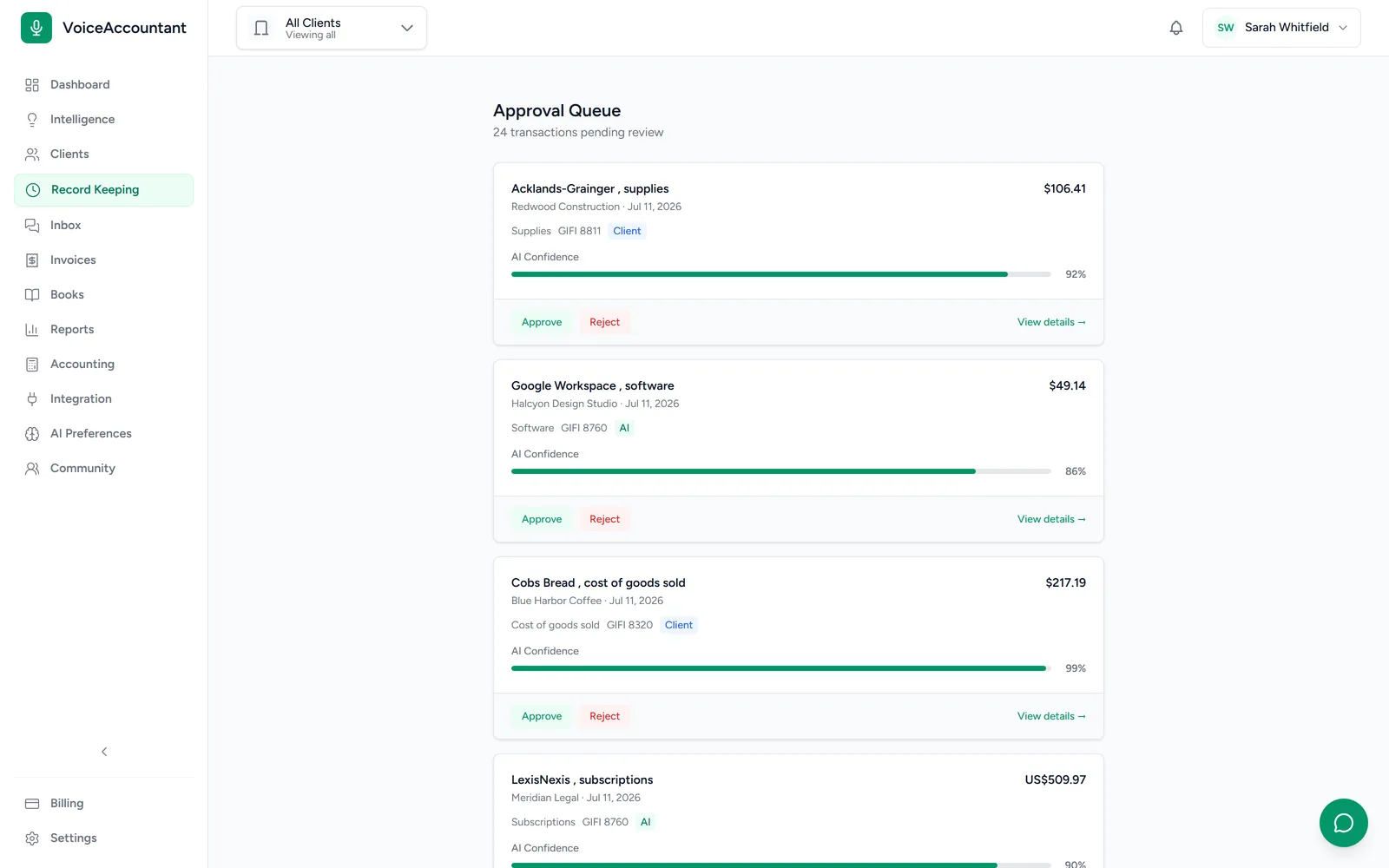
All your clients in one place
Switch between them in a click.
The AI says how sure it is
Anything doubtful gets flagged for you first.
A permanent record
Every change is written down, for good.
QuickBooks or built-in ledger
Send entries out, or keep the books right here.
Watch the demo
See the dashboard in 90 seconds.
One spoken expense, followed all the way to a filed set of books. It's the real product, not a mockup.
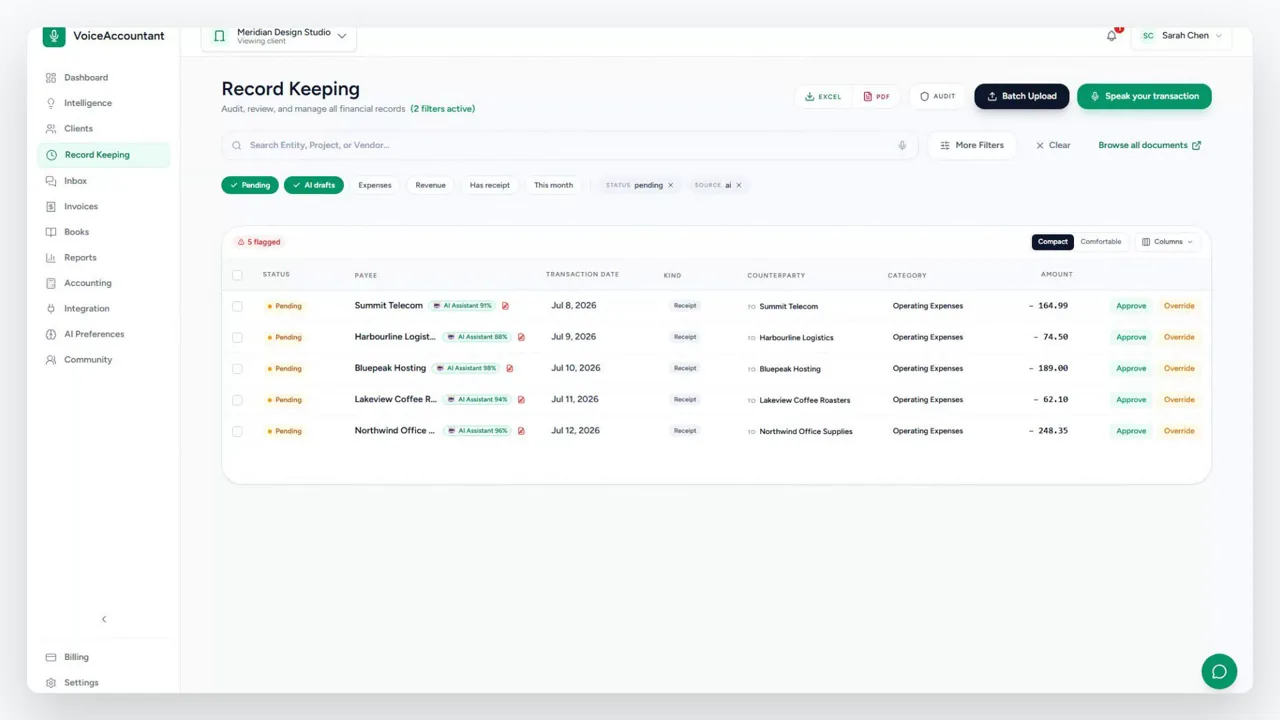
There's narration, so turn your sound on.
How it works
From your client's phone to your review queue.
Here's the loop. Your client talks to their phone, and the work shows up on your desk ready to check.
-
01
Invite your client
Send them a link, a QR code or a short code. They install the app and it connects to your firm on its own. There's nothing for them to set up.
-
02
They capture, hands-free
They say what they spent, or snap the receipt. The app has your firm's name and logo on it, so to them it's simply your app.
-
03
The AI drafts it
The AI fills in the vendor, the amount, the tax and the right code, and attaches the original receipt. When it isn't sure, it says so instead of guessing.
-
04
You review and approve
You go through the queue and approve each entry with a click, then export it or send it to QuickBooks. Everything that happens is written down permanently.
The platform
One workspace for the whole firm.
Everything your practice needs to run a full book of clients, without the pile of spreadsheets and email threads.
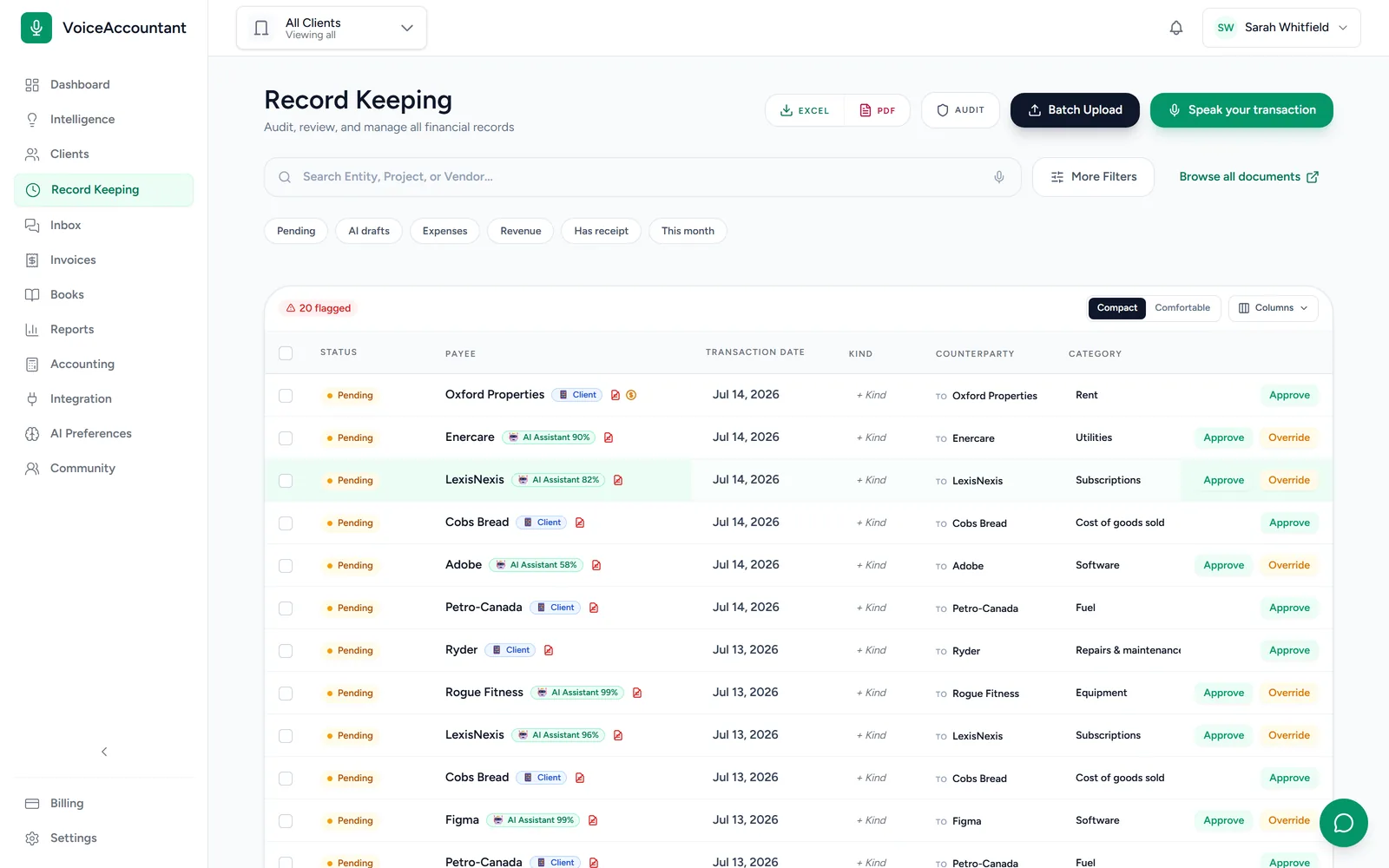
Your day starts at the review queue.
Each draft comes in with the receipt attached, the tax code filled in, and a score for how sure the AI is. Approve it, reject it, or open it up and fix it. Filters let you clear the doubtful ones first.
- Every AI draft says how sure it is
- Auto-approve for the clients you trust, if you want it
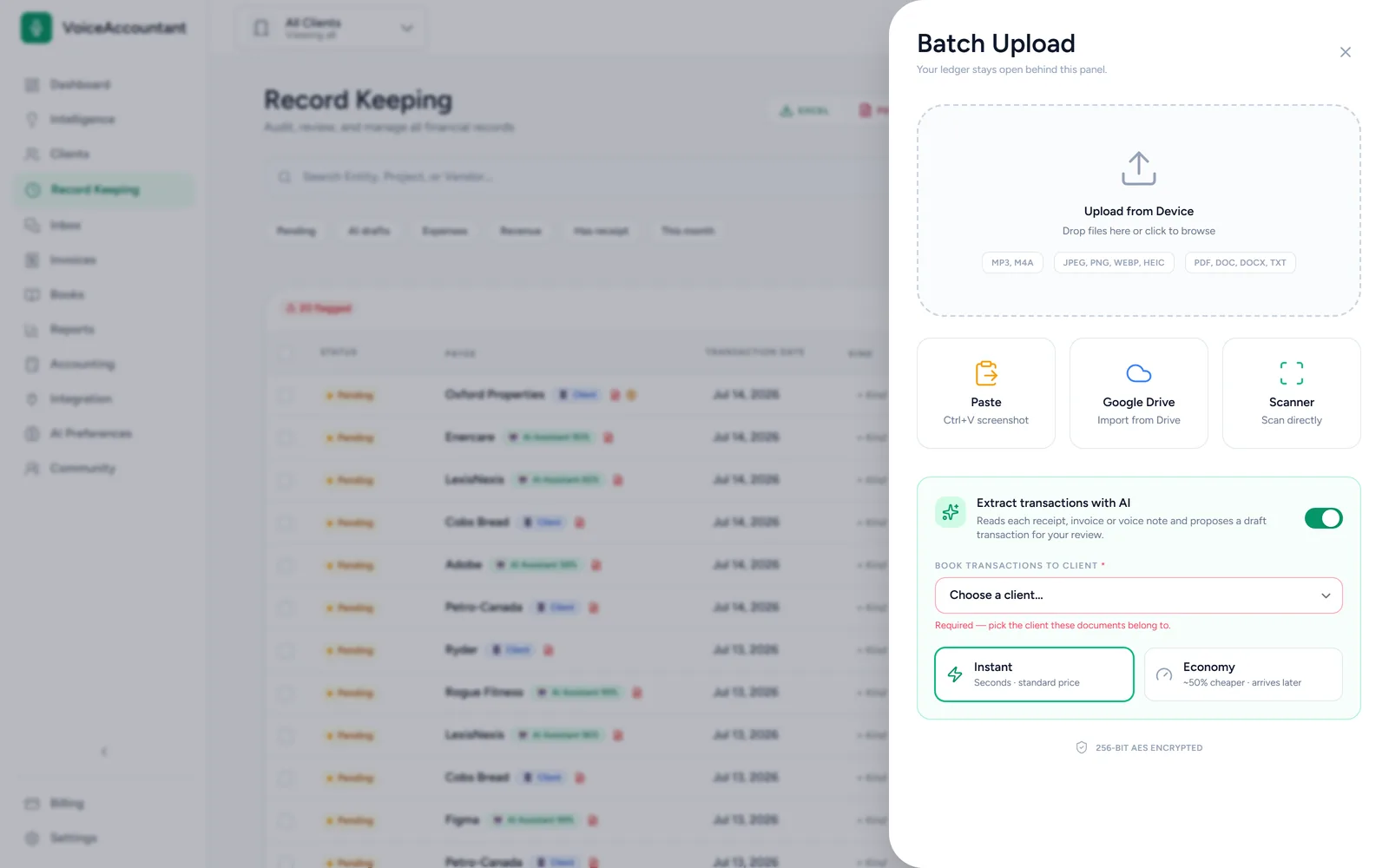
- Export to CSV or PDF, or sync to QuickBooks Online
Rules that learn
Fix a category once and the AI remembers. The more you confirm it, the stronger the rule gets. When it stops being right, it quietly retires.
Document Hub with AI filing
Drop in receipts, invoices, PDFs and Word docs. The AI puts each one in the right folder. Anything it can't place with confidence waits in Unsorted for you.
Email intake
Every client gets their own forwarding address. When they email a receipt in, it becomes a draft under the right client on its own.
Messages, one inbox
Message all your clients from one inbox. Photos, files and voice notes all work, and you can pin a conversation to the transaction it's about.
Client invoicing
Bill your clients with invoices that carry your letterhead, sent by email or straight into their app.
Multi-currency, audit-ready
Each client's books stay in their own currency. Exchange rates are saved as of the transaction date, so a report you print today matches the one you printed last month.
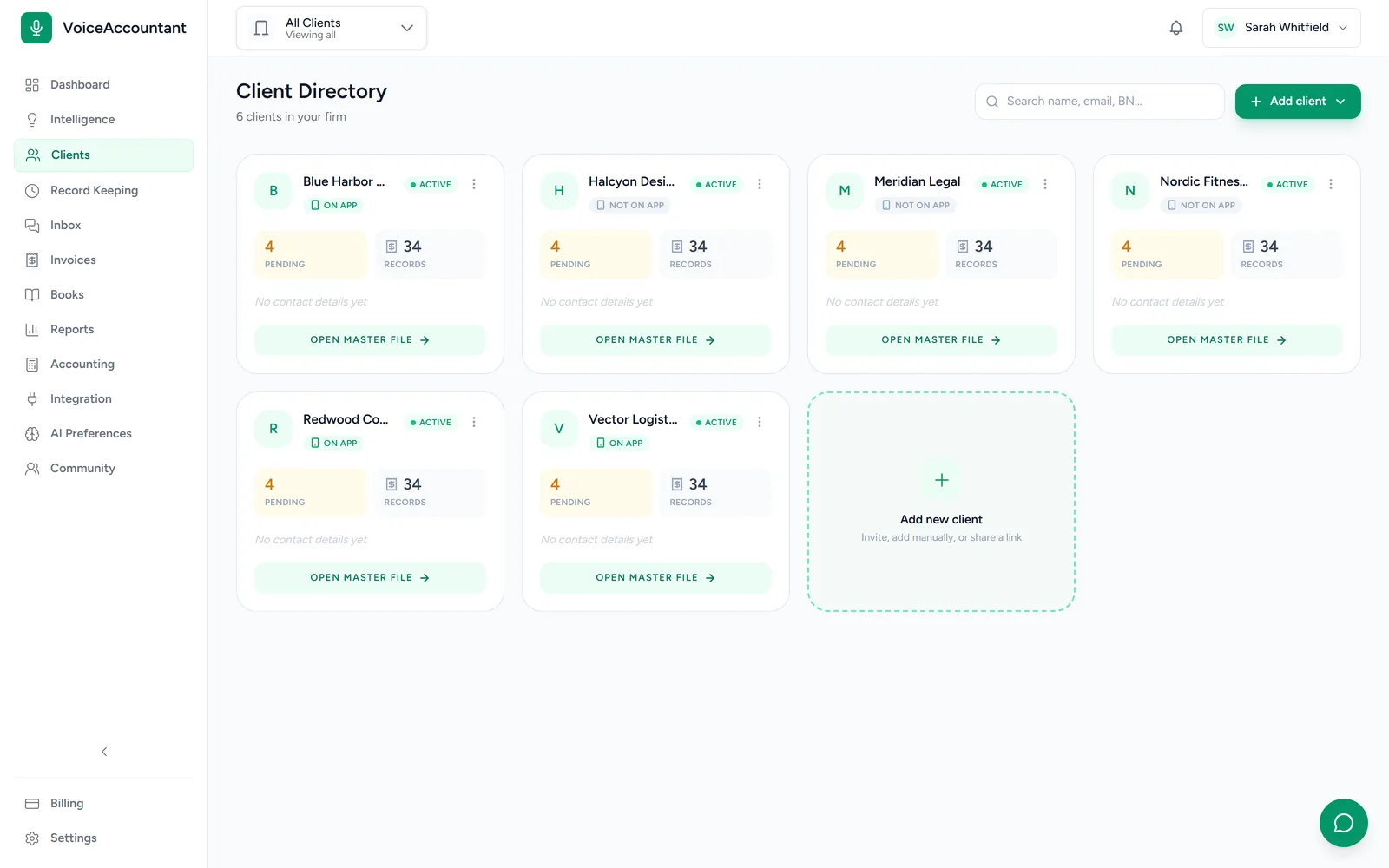
Your brand, their app
The app carries your firm's name.
You send the invite. Your client installs the app, and it opens with your firm's name and logo already on it. As far as they're concerned, it's your app. Everything they record shows up on your desk with the receipt attached.
Invites are one tap
Send a link, a QR code or a short code. On Android the app connects to your firm the moment it's installed.
You stay in control
You decide what each person on your team can see and do. Every change is recorded, so you always know who did what, and why.
Security & trust
Built for the people who sign off on the numbers.
You're the one who signs off, so you're the one carrying the risk. The dashboard is built so you can always prove exactly what happened, and when.
A permanent audit trail
Everything that happens in the books is written down for good. Nobody can quietly edit or delete a record afterwards, not even us.
You approve everything
The AI only suggests. Nothing goes into the books until someone on your team says so.
Lock a closed month
Once a month is filed, lock it and nothing in it can change. There's a harder lock again for after the tax return goes in.
Your data is always yours
Download a complete copy of any client's records at any time: every transaction, every receipt, and the full history of changes. If you ever leave, everything comes with you.
The client app
The app your clients actually use.
Your clients don't need to learn accounting software. They open the app, say what they spent, and get on with their day. Here's what they see.
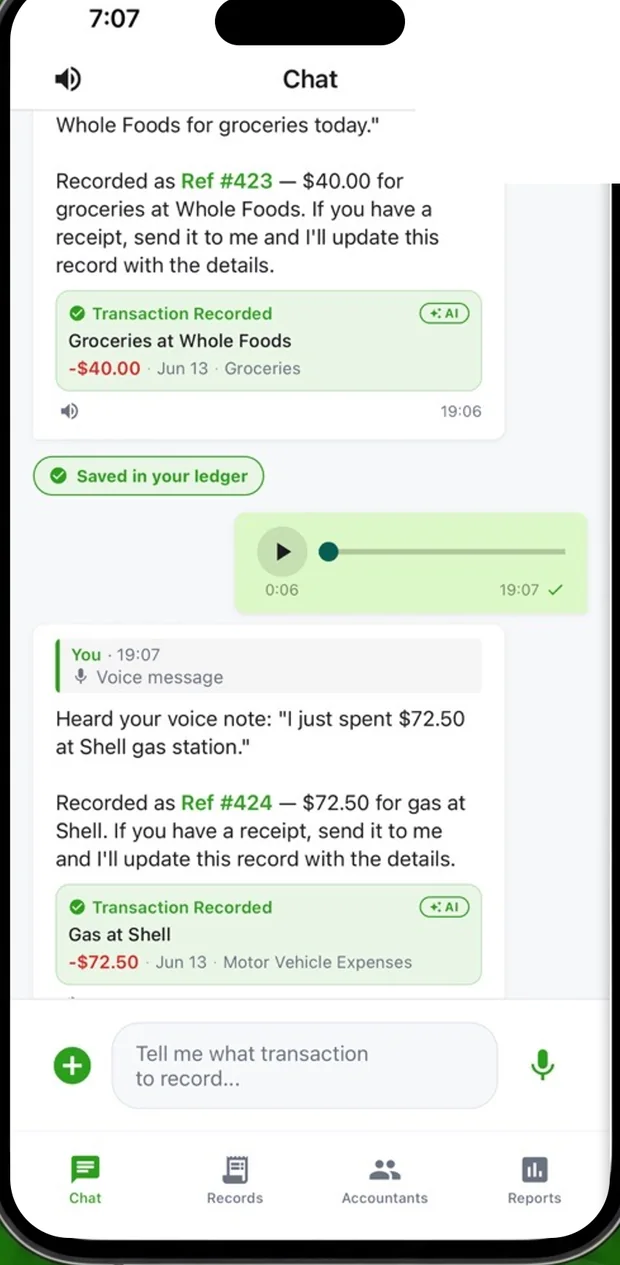
Say it, and it's booked
They talk, the AI writes the entry.
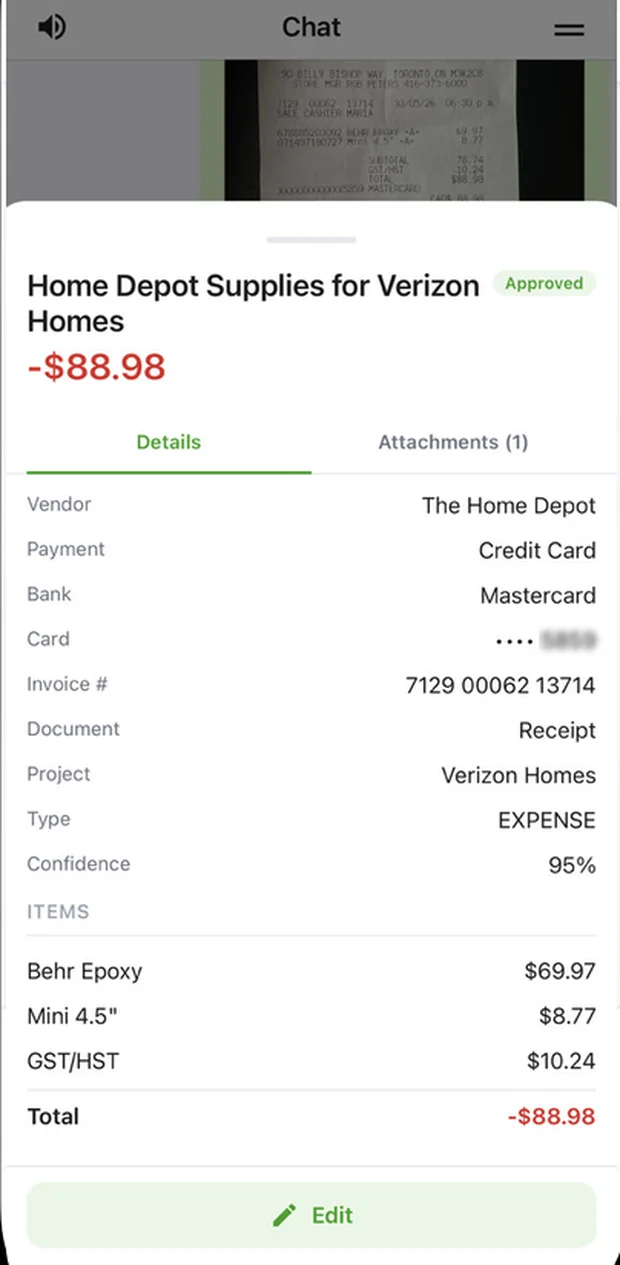
Receipts, read properly
Vendor, tax and line items, pulled straight off the photo.
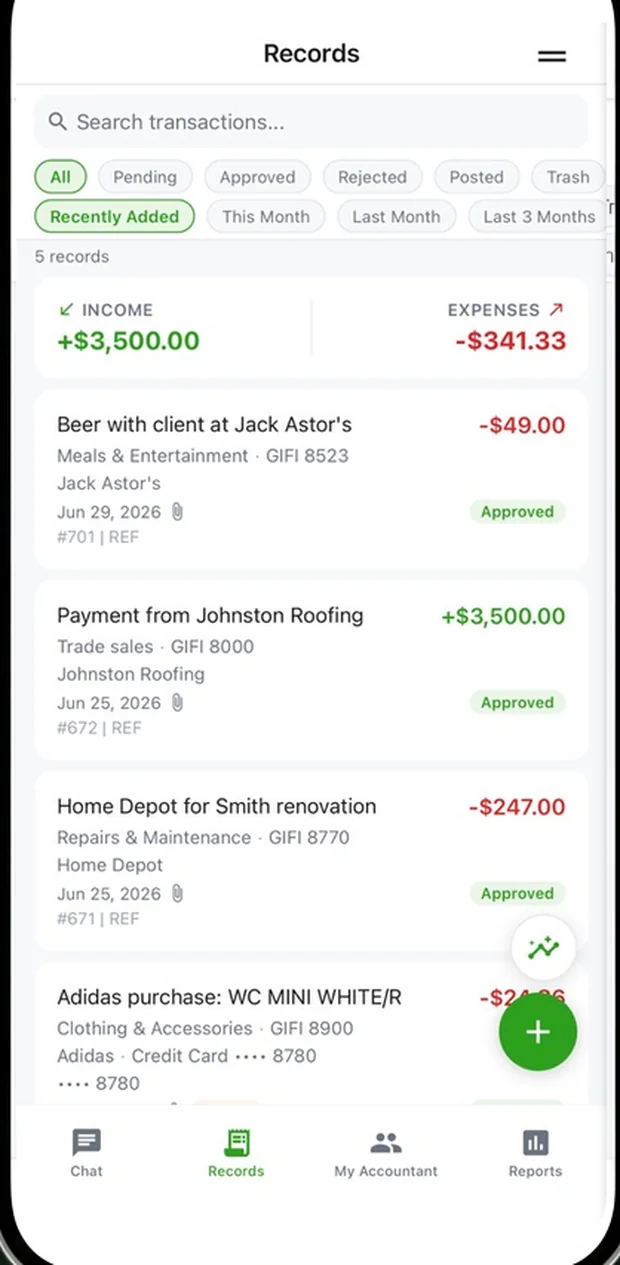
A tidy record
Everything they've sent, filed and ready for your review.
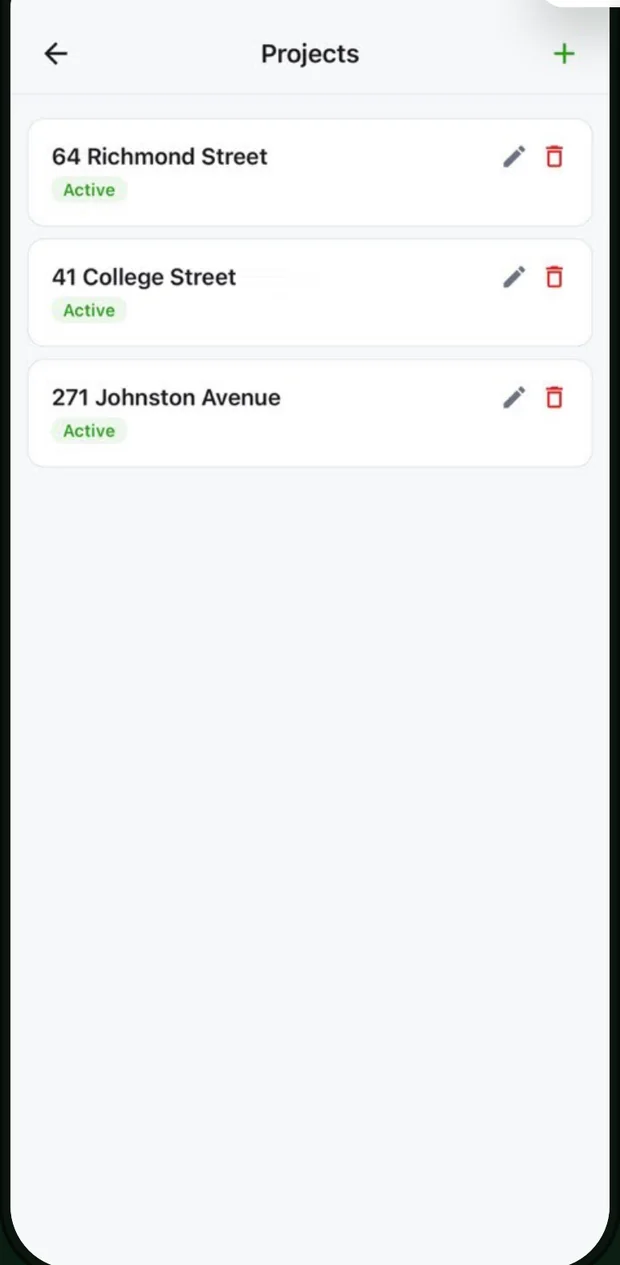
Sorted by project
They name a job once, and its costs group themselves.
Pricing
Simple, per-firm pricing.
We're still putting the final numbers on our plans. In the meantime, every new firm gets a 14-day free trial with no credit card, so you can start today.
Start your free trialFAQ
Questions, answered.
Who is VoiceAccountant for?
Accountants and bookkeeping firms with more than a handful of clients. You work in one dashboard, and each of your clients gets a simple mobile app for sending you their day-to-day expenses and income.
How do my clients send me their transactions?
You send each client an invite link or a short code. They install the app, it connects to your firm, and it shows your name and logo. From then on, anything they record by voice or photo lands in your review queue as a draft, with the original receipt attached.
Do I have to accept whatever the AI produces?
No. Every draft shows how confident the AI is, and anything doubtful gets flagged. Nothing goes into the books until someone on your team approves it. For clients you trust, you can turn on auto-approval.
Which countries and tax systems does it support?
Each client's books can be kept in Canadian dollars, US dollars or British pounds, with a chart of accounts to match. Canadian GIFI codes and GST, HST, PST and QST are built in, and so is UK VAT.
Does it connect to QuickBooks or keep its own ledger?
Both. You can send approved transactions to QuickBooks Online, or skip QuickBooks entirely and keep the books in the built-in ledger.
What can my clients and I upload?
Photos and scans of receipts, PDFs, Word documents, plain text and voice memos, up to 25 MB each. The AI reads whatever comes in and drafts a transaction for you to check.
Is my clients' data secure?
Yes. Everything is encrypted, sign-in supports two-factor authentication, and every change is written to a permanent audit trail that nobody can edit. Your data isn't stuck here either: you can download a complete copy of any client's records whenever you like.
How much does it cost?
Every new firm gets a 14-day free trial with no credit card. We're still finalizing the paid plans, so pricing details are coming soon.
Give your firm its evenings back.
Your clients do the capturing. You do the part that actually needs an accountant: the review, the judgment, the sign-off.